
The latest Chrome update improved the address bar by providing better address suggestions even for incorrect typing, as reported by Abner Li from 9to5Google. This enhancement is available on Chrome for Android, iOS, and desktop.
Chrome’s address bar has become more intelligent.
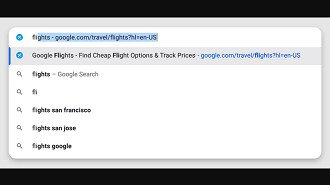
In the desktop version of Chrome, the address bar can automatically complete the rest of a URL using a word previously searched on a website. For instance, typing “flights” may show the complete “google.com/travel/flights” URL instead of requiring the full input of “google.com.”
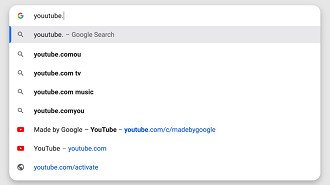
The autofill feature in Chrome’s address bar can still interpret what you are trying to type, even if there are spelling mistakes in the URL. It will suggest popular addresses, even for sites you have never visited before, to help you access the desired content.
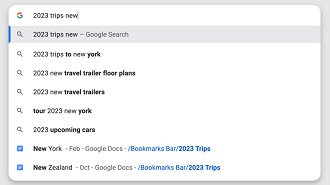
You can search for favorite websites directly in the address bar, including searching by folder name. The location of the site or folder in the favorites will be shown when you type its name.
Introduction and accessibility
Chrome’s address bar improvement is now accessible in version 118.0.5993.89 for Windows and 118.0.5993.88 for Mac and Linux. Android and iOS users can expect this update in the near future.